preview_ready
生成が完了すると、ここにプレビュー要約が表示されます。
言語の提案
スキャンPDFをEPUBへ、いきなり本変換しない
スキャンPDFを1冊アップロードし、最初の10ページから実際のEPUBプレビューを作って、本格変換に時間をかける価値があるかどうかを先に判断できます。
Direct answer
A scanned PDF to EPUB converter turns an image-based PDF book into a reflowable EPUB. Scanned PDF to EPUB focuses on a preview-first path: upload one PDF, generate an EPUB preview from the first 10 pages, then check OCR and layout risk before a full-book conversion.
スキャンPDFを1冊入れて、最初の10ページをEPUBで確認し、価値がなければ早めに止められます。
デモを試す
このローカルデモが処理するのは最初の10ページだけです。見出し、改行、数式がまだ崩れているなら、大きな変換ジョブの前にここで止められます。
プレビュー状態
処理中
上のPDFをアップロードすると、プレビュー処理が始まります。
プレビュー頁数
0
OCR使用頁
0
要確認
0
preview_ready
生成が完了すると、ここにプレビュー要約が表示されます。
ページ内プレビュー
まずここで最初の数ページを確認し、読みやすければ EPUB をダウンロードしてください。
多くのユーザーは上のPDFアップロードから始めれば十分です。変換前に行単位で確認したいときだけ開いてください。
単一ページの抽出結果を手で確認したいときだけ使ってください。主な導線は上のPDFアップロードです。
総合スコア
55/100
検出された問題
3
要確認
2
重大
0
不正なハイフネーション
不正なハイフネーションが検出されました。
数式構造のリスク
数式のようなテキストが検出されました。レンダリング方針を確認してください。
ページ番号の残り
最後の行がページ番号のように見えます。
この製品はまだ出版パイプライン全体ではありません。まず答えるのは1つです。このスキャンPDFは、これ以上時間を無駄にせず読めるEPUBにできるか。
1
スキャンPDFを1冊選び、冒頭ページから短いEPUBプレビューを生成します。
2
プレビューを開き、改行、見出し、数式、キャプションが読みやすいままかを確認します。
3
全文変換へ進むか、元データを直すか、悪いスキャンへの追加作業をここで止めるかを決めます。
読者が何度もぶつかる問題
RedditやCalibreのスレッド、電子書籍フォーラムでは、スキャン本の読者が同じ不満を繰り返しています。このプレビューは、本変換の前にそこへ答えるためにあります。
01
多くのスキャンPDFはページ写真にすぎません。使える文字レイヤーがなければ、変換は止まるか、ファイルが肥大化するか、各ページが画像として埋め込まれます。
02
隠れたOCRレイヤーには、壊れたハイフネーション、誤った引用符、余計な記号、リフロー時に崩れる改行がよく残っています。
03
学術論文や古い雑誌は、読む順序がすぐ壊れます。段組み、ディスプレイ数式、図表キャプションは特に信頼が壊れやすい部分です。
04
PDFが開けても、小さな画面では拡大、移動、トリミングの繰り返しになりがちです。ユーザーが知りたいのは、リフロー後に本当に読めるかどうかです。
これらの作例は、文案だけでは伝えにくいことを示します。変換前のスキャンPDFと、信頼できるEPUBプレビューが残すべき読みやすさです。
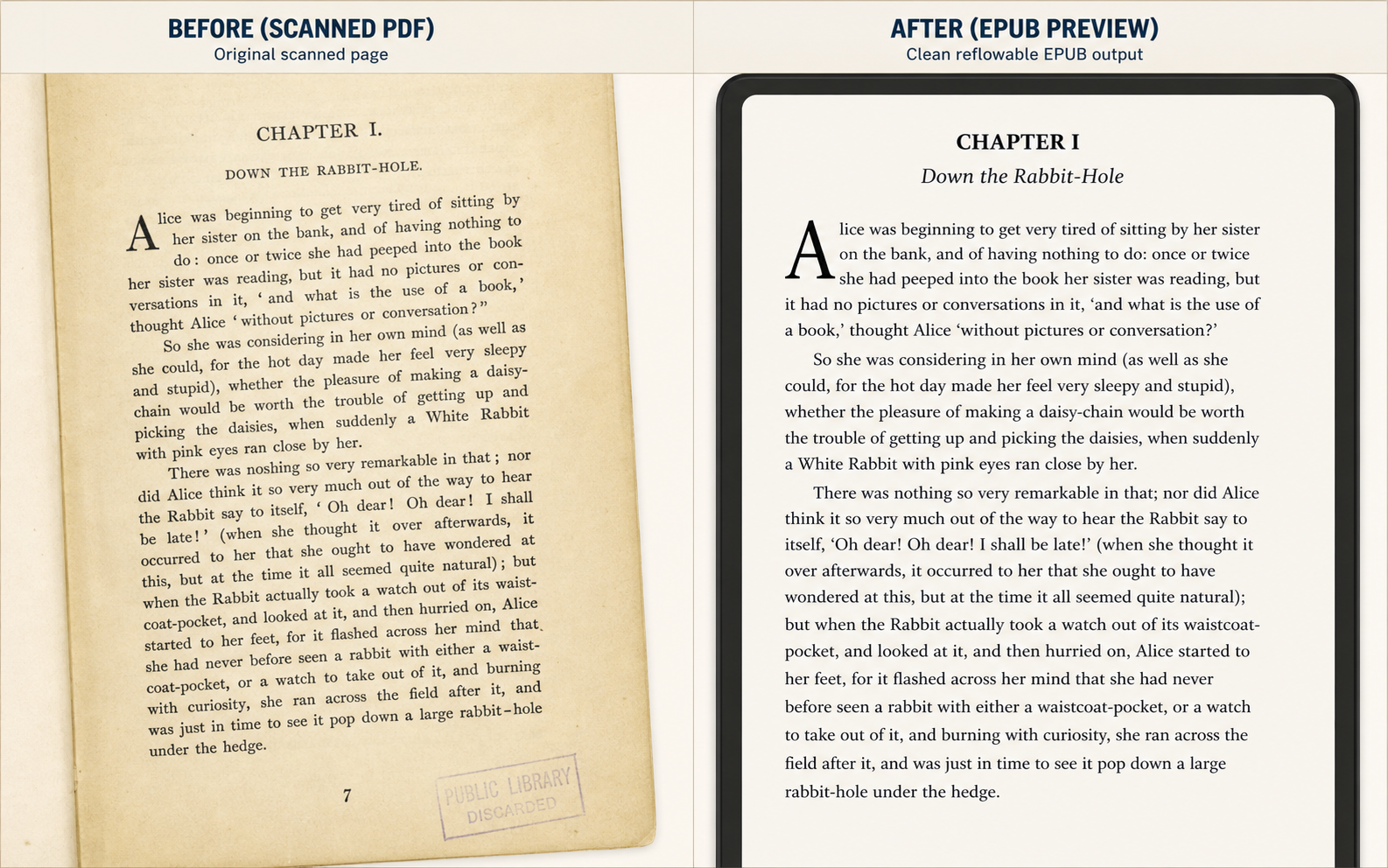
Use Case 1
This is the simplest but highest-volume use case: judge whether a yellowed chapter scan becomes comfortable enough to read on a small e-reader.
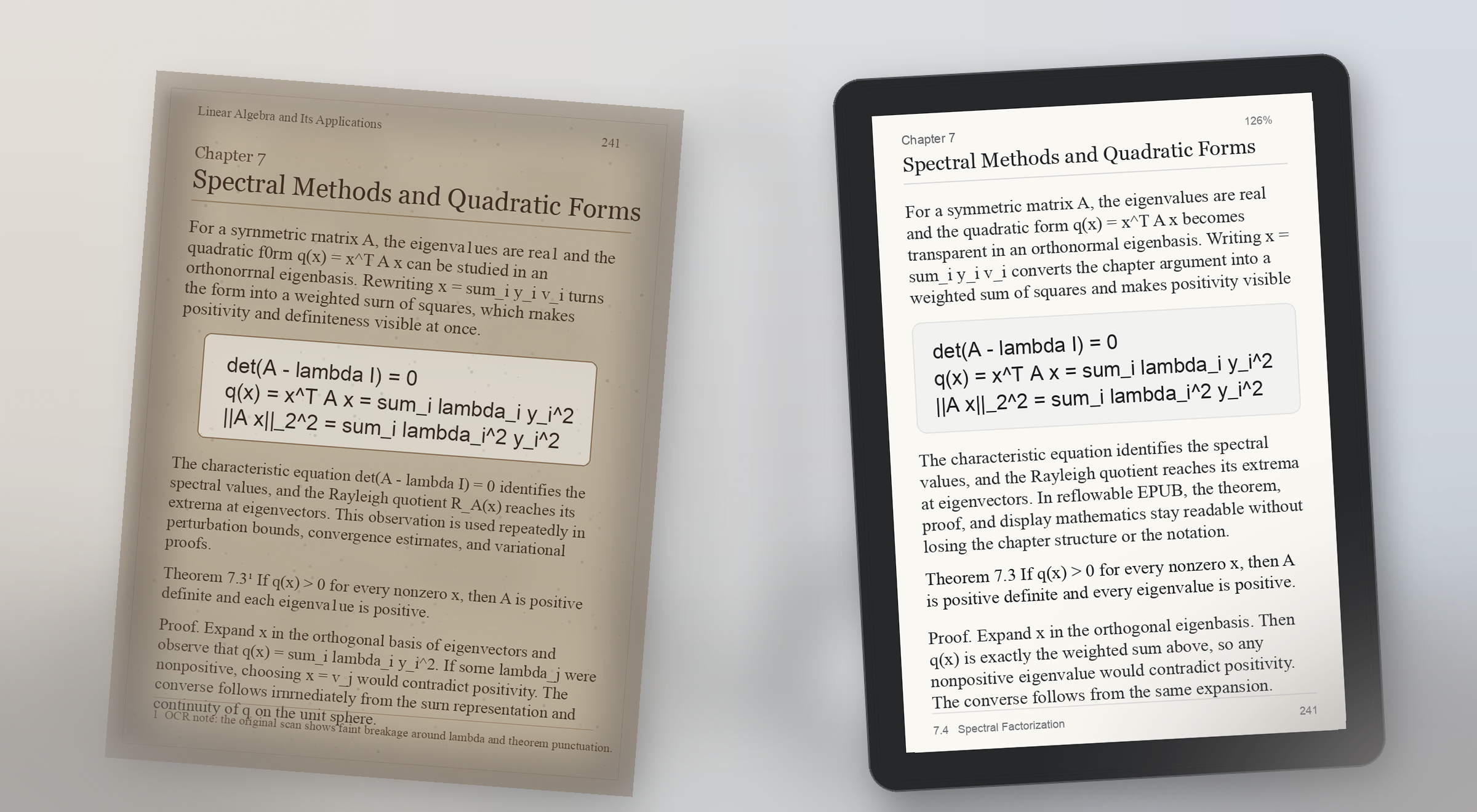
Use Case 2
Formula pages break trust fast. A useful preview proves that equations, theorem blocks, and surrounding explanation still make sense on a real reading device.
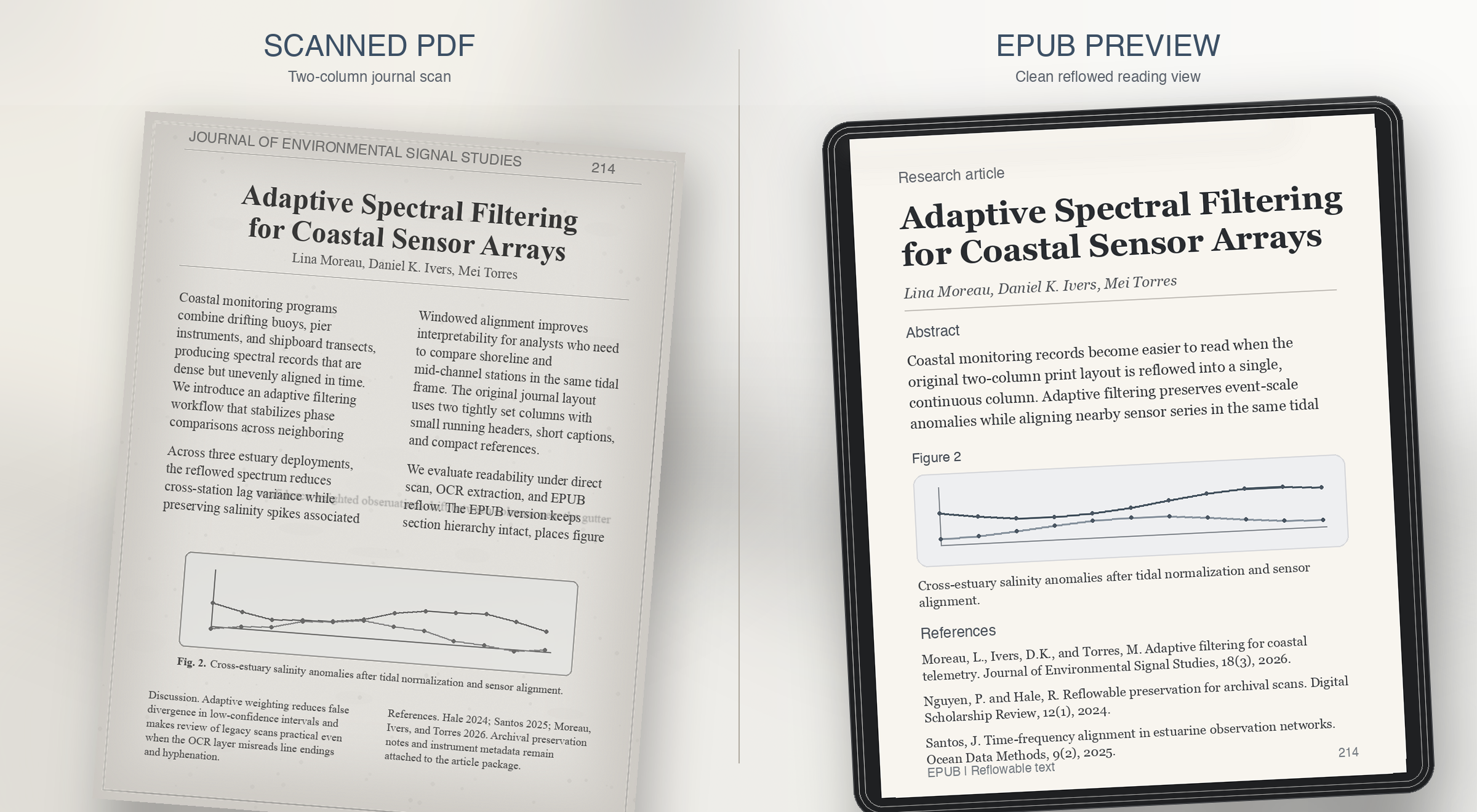
Use Case 3
Research journals usually fail on reading order. The preview should prove that columns, captions, and references survive reflow instead of collapsing together.
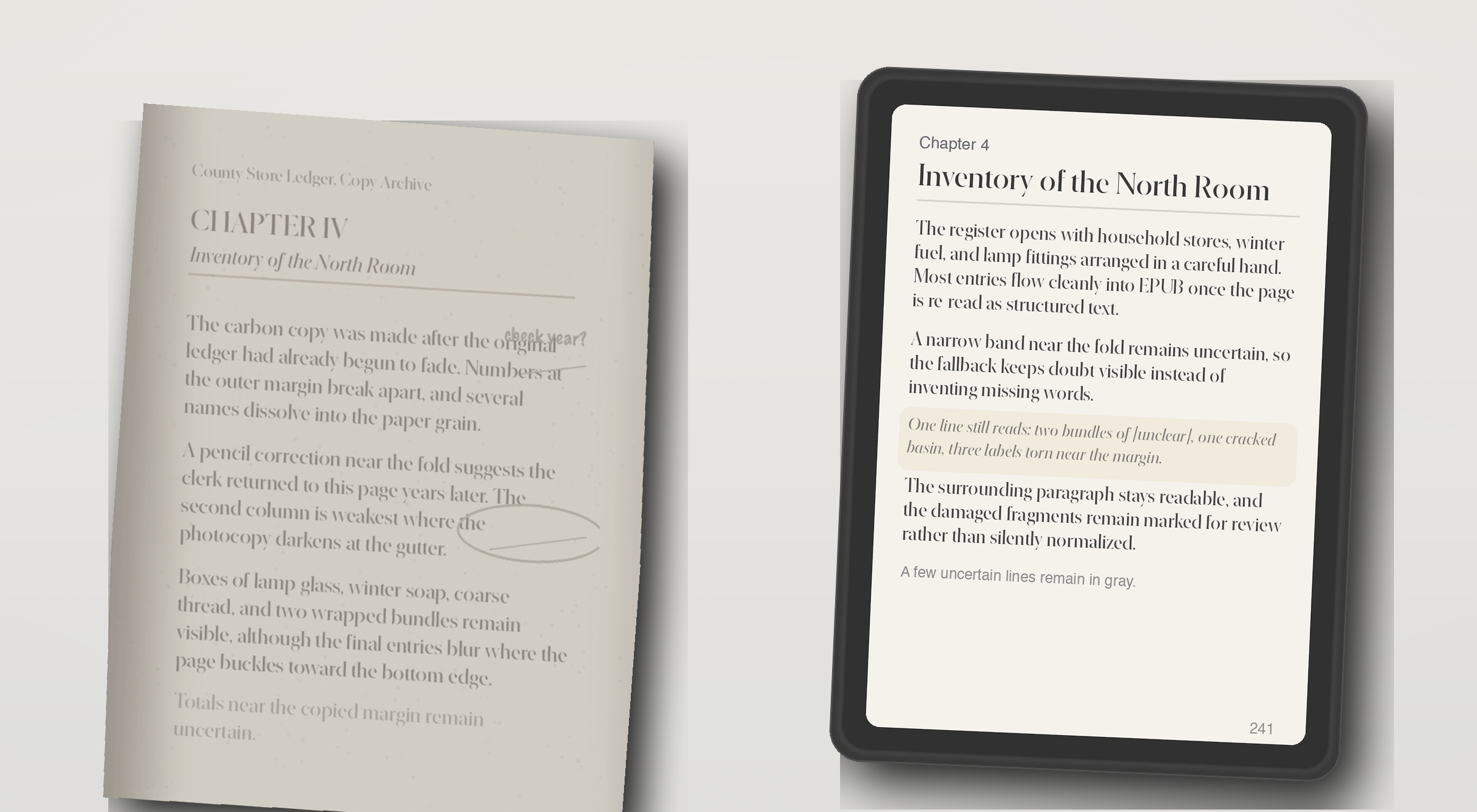
Use Case 4
Some PDFs have no usable text layer at all. The right behavior is not fake confidence, but a preview that shows what OCR recovered and what still needs review.
The live checker runs the repo's quality rules against extracted page text. It flags empty OCR output, page-number leaks, broken hyphenation, bad spacing, and formula-structure risk.
The current demo can generate a preview EPUB directly from an uploaded PDF. Production-grade full-book conversion still needs stronger layout recovery, better OCR repair, EPUB validation, and job orchestration.
In this demo, the PDF is uploaded to the current preview service so it can generate a sample EPUB. Review your deployment and privacy settings before testing private material. The page checker still exists for users who want to inspect extracted text before uploading.
The wedge is scanned PDF input, extracted page text for diagnosis, and a reflowable EPUB preview for reading on Kindle- and Kobo-style devices. It is not trying to become a broad everything-to-everything converter.
Accurate enough to judge reading comfort and obvious structural damage. The preview is meant to answer whether the book feels clean enough to continue, not to replace final editorial review for every edge case.
Some cleanup can be automated, but the product should stay honest about uncertainty. The key promise is to surface where review is needed so the user can decide whether to repair, crop, rerun OCR, or stop.
Those are the pages most likely to trigger risk labels. Formula structure, tabular alignment, footnotes, and badly cropped scans often need targeted repair before an EPUB is truly comfortable to read.
Readers and document owners with scanned books, academic PDFs, or public-domain material who want a reflowable EPUB for Kindle or Kobo without proofreading every page manually.
Generic converters export files, but they rarely explain where OCR or layout recovery failed. This product is designed to show risk before the user commits to a full conversion.
Yes. The main demo flow is designed around that exact question: upload one PDF, inspect the first pages, review OCR risk, and judge whether the full book is worth converting.
The most useful examples are before-and-after comparisons for noisy OCR, math-heavy academic pages, two-column journal layouts, footnotes, captions, and image-only scans that need OCR fallback.
It should prove reading comfort, not just file export. A good preview shows whether line breaks, page numbers, formulas, headings, columns, and captions still make sense on a small reading device.
PDFのアップロードも、ページチェックも数秒で始められます。デモに登録は不要です。保存済みプレビューや今後の全文変換が必要になったら、ワンタイムアクセスを使ってください。
ワンタイムアクセス
パスワードの代わりに、メールのワンタイムコードを使います。全文変換、保存済みプレビュー履歴、レビュー待ちキューの案内を受け取れます。
ワンタイムアクセス
Saved previews
Sign in with a one-time code to save previews and reopen them later.